When loading a PostScript or PDF file, you can choose how to preview it:
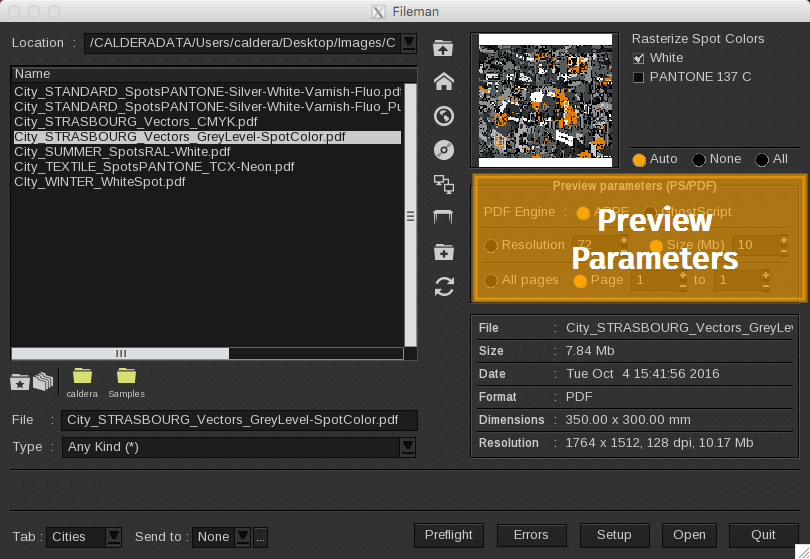
The "PDF Engine" field has been removed in CalderaRIP version 19; the Adobe PDF Print Engine is now the default option for processing PDF and PostScript files.
-
PDF Engine: The PDF Engine is how CalderaRIP processes PostScript or PDF files for printing. It influences the quality and speed of the output.
In previous versions of CalderaRIP you could choose between the Adobe PDF Print Engine (by default), which provides high-quality rendering, and GhostScript (now deprecated), an open-source option that supports various PDF and PostScript files. -
Resolution: You can choose to preview the file at a fixed resolution in DPI or specify the size of the preview image in megabytes (recommended).
Info
When selecting a fixed resolution, the size of the preview is influenced by the dimensions of the file. For example, an A4 file at 72 dpi is typically less than 2 MB, while a 4' x 3' poster could be 600 MB or more.
- All pages or Page: When selecting a file with multiple pages, you can choose to rasterize the entire document (All pages) or rasterize a specific range by selecting (Pages) and entering the starting and ending page numbers.