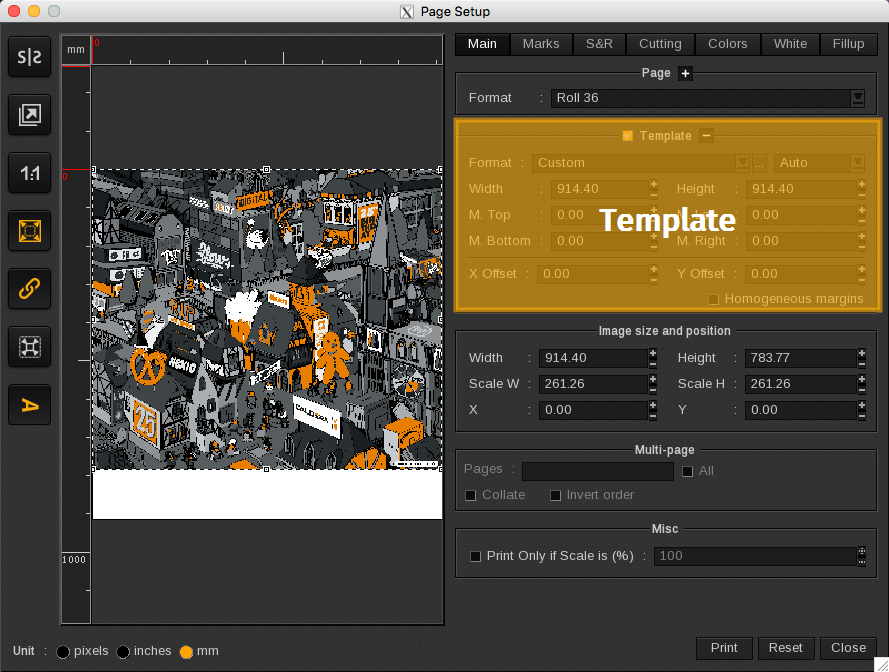
The Template area enables you to define a printing template. Unlike the page format, which refers to the overall dimensions of the page, a template represents a specific area within that page format.

- Format: Lists available template formats (A4, A0, LetterUS…) or create one using the … button. You can also define the orientation of the format, either Landscape, Portrait or Auto.
- Width and Height: Displays the template’s dimensions, including the margins.
- M. Top, M. Bottom, M. Left and M. Right: Displays the template’s margins’ dimensions.
- X Offset and Y Offset: Displays the template’s location on the media.
- Homogeneous margins: Applies the same margins dimensions to each side of the template.