This article covers the following topics:
Layout size
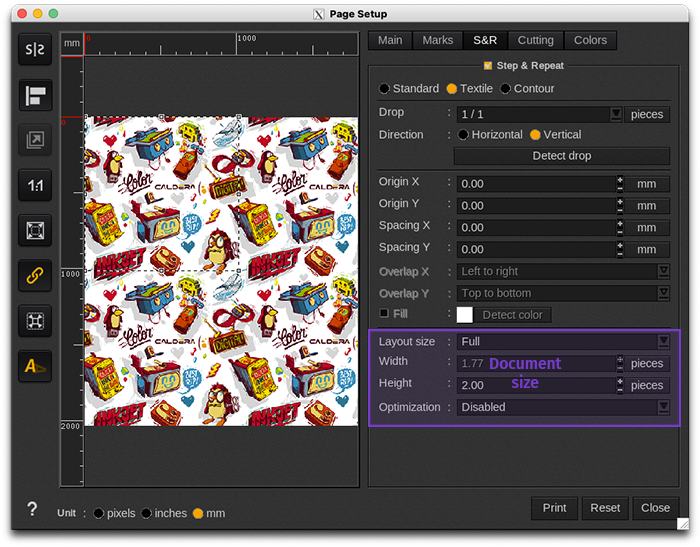
In this set-up window, users can define the Layout size, which can be
Minimal size
This mode creates the image’s pattern. It is the smallest motif of the original image which can be reproduced with a 1/1 drop.
The pattern size cannot be changed. It depends on the drop and the direction.
| Info - The size is automatic so the width and height fields cannot be changed. | ||||
For the size calculation: if the drop is represented as a x/n fraction so:
- If the direction is vertical: n repeats of the image will be placed on 1 line (using the drop).
- If the direction is horizontal: n repeats of the image will be placed on 1 column (using the drop).
| Warning - Be careful, the number of repeats can be limited depending on the page format. | ||||
Examples
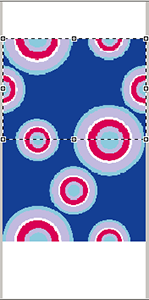 |
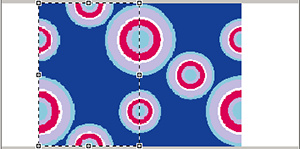 |
|
1/2 vertical pattern. |
1/2 horizontal pattern. (To realize this horizontal example we simply changed the image orientation.) |
Full size
This mode covers the page completely by placing the proper number of copies.
When the page format is roll type, the height is specified by the user. If not, none of the Width and Height fields can be changed.
When available, the height can be specified in number of pieces or in units of distance.
Example
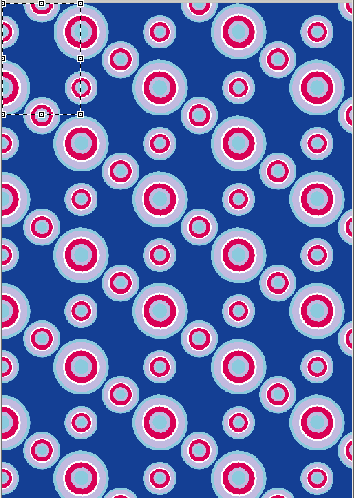
A4 filled with the Full mode
Custom size
This mode allows the user to indicate manually the number of copies in width and height to put on the page.
| Info - The page format limits the number of copies. If it is a sheet, width and height will be limited whereas only the width will be limited in roll mode. | ||||
Example
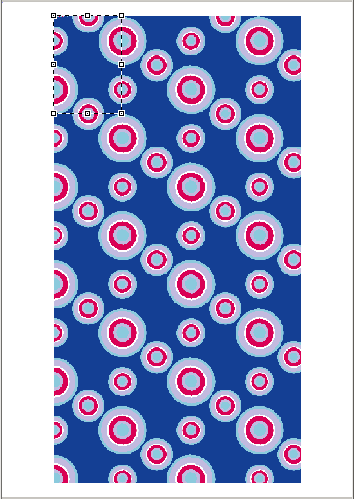
Page format: A4, the screenshot dimensions are used.
Repetitions are placed in the center of the page on purpose to show that the user is free to do as he wants.
Optimization
| Info - This option is available only for file-based printer drivers. | ||||
The Optimization feature increases the speed of Tex&Repeat jobs but disables the use of Annotations, Color bars and QR Codes.
From CalderaRIP V15.1
You have the choice between the following parameters:
Disabled
Deactivate the optimization process to use the Tex&Repeat in a normal way.
Use RIP optimization
CalderaRIP performs the optimization. It computes the first line and use it as a cache.
Use Printer S&R
The controller of the printer performs the optimization. The RIP sends only a first line and a number of linear meters to the controller.
| Warning - When using "Use Printer S&R" optimization, the preview of the Page Setup window is not representative of what will be sent. Please refer to the preview of the Spooler which shows exactly what is sent to the controller, that is the minimal block. | ||||
|
Info - Use Printer S&R feature is compatible with the following models:
|
||||||
Before CalderaRIP V15.1
- Repeat optimization for speed: enable this feature to make CalderaRIP performs the optimization.