The LAB Options tab allows you to define the profiles used for the LAB conversions.
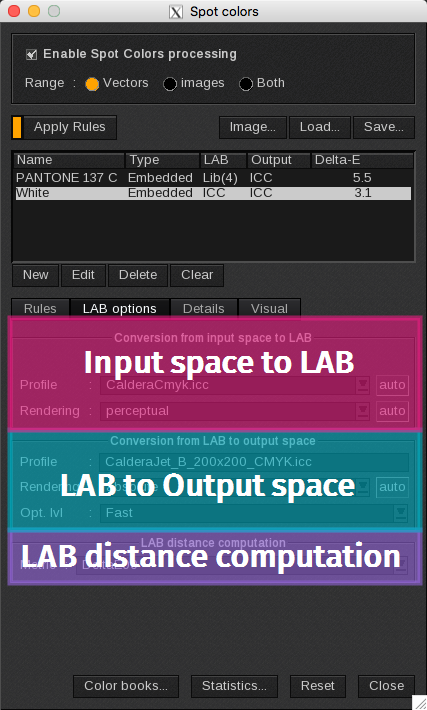
Conversion from the Input space to LAB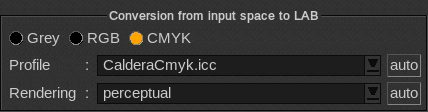
- Profile: choose the input profile.
- Rendering: displays rendering options: perceptual, colorimetric, saturation and absolute.
The Auto option is activated by default. This means the colors will be rendered by the option selected in the Color Management window.
Conversion from the LAB to the output space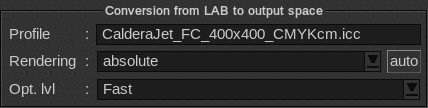
- Profile: defines the output profile. Defaults to the profile of the current media.
- Rendering: displays rendering options: perceptual, colorimetric, saturation, absolute, opt. colorimetric and opt. absolute. When you select opt. colorimetric or op. absolute, the best values matching the desired spot colors will be automatically searched for within the color of the printer’s gamut.
- Opt. lvl: sets the duration of the search for colors when choosing an opt. rendering. Choose Fast if you need to process a lot of spot colors (for instance, if printing a color target). If there are only a few colors to compute, you can select Complete. Balanced is an average value.
LAB distance computation

- Metric: choose here the DeltaE calculation between: DeltaE, DeltaE94 Textile, DeltaE 94 Graphics, DeltaE00 and DeltaE DIN99o.