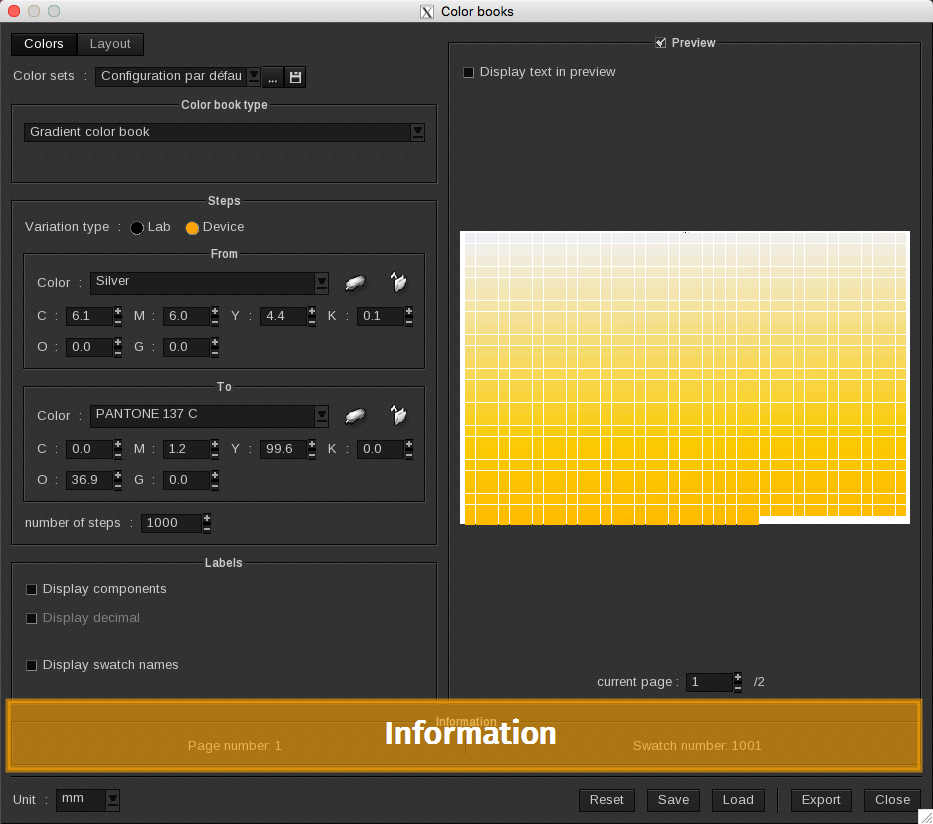
The Information area lists information about the current ColorBook. The information changes depending on the current parameters such as the layout or number of swatches.

Two fields are displayed:
-
- Page number: displays the page number. If the page format is set to roll, the page number will always be 1.
-
- Swatch number: this field displays the number of swatches in the ColorBook.
If “-“ appears in one or both fields that means an error occurred and no ColorBook will be created.

The most common reasons for errors are:
-
- The number of pages is too big (larger than 10 000).
-
- The page format is too small to contain even one swatch.
-
- In Targeted ColorBook mode: no color has been selected in the Spot Color management window.
-
- In From a Spot Color library mode:
-
-
- The chosen library does not contain any color.
-
-
-
- No ICC profile has been activated for the current device (in this case, an error message will be displayed before the ColorBooks generator window opens).
-