Issue:
By default the Linux Debian 9 and 10 install the Realtek network card drivers r8169 if there is a network card Realtek r8168 in the computer.
Please be aware that this process is specifically intended for a Realtek r8168 network card, do not use it for other Realtek network cards (unless you know what you are doing).
Problem:
The driver Realtek r8169 is a little unstable and it may generates issues to send big files through the network (slowness, spooler having jobs not ending, etc..).
1) How to check which hardware you have.
To check which network card is in your computer you can use the following command:

2) How to check which driver is used.
If you have already some driver installed you can check which one is used by typing the following command:

Then you have to look for the entries named "Ethernet controller", which represent your network cards, and look for the field "Kernel driver in use".
If you have more than one network card you will have more than one paragraph starting with "Ethernet controller".
Example with an Intel network card:

Solution:
You need to download the drivers of the r8168 network card and install them.
1) Where to find the drivers to download.
You have to download the drivers directly from the Realtek site, it's on this page in the Unix section:
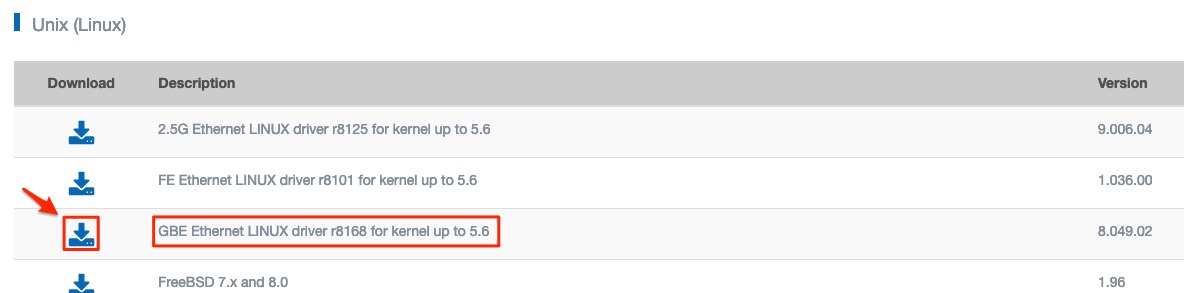
2) How to install the drivers.
Launch the terminal and login as root on it.
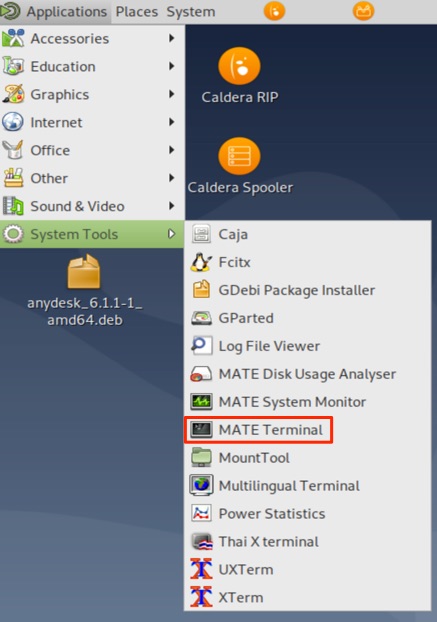
Type  in the terminal to login as root and validate the access with the root password when requested (type it and press ENTER key).
a) In the terminal go to the folder where you saved the drivers file , usually the "Downloads" folder, using the "cd" command.
Example:
If my Linux account is called "caldera" then I have to type:

b) Unpack the drivers by using "tar vjxf" then the name of the file (usually in a format "r8168-8.aaa.bb.tar.bz2") :
Like this: 
c) Go to the directory where the files were unpacked by using the "cd" command:

d) Launch the installation:

e) Once installation has ended you can check with the command if the driver is used.
f) Reboot the computer.