Configuration
Check this article first to learn how to configure SmartImport.
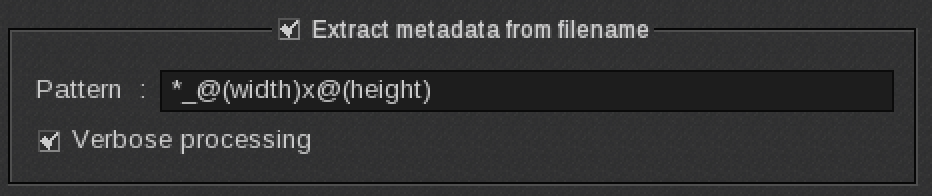
Pattern
*_@(width)x@(height)
for files like
MyFileName_500x500.pdf
MyFileName_1mx1m.pdf
MyFileName_50inx50in.pdf
Then, just drag and drop the loaded image (with Fileman) from the ImageBar into a print module, into tiling to set up the poster size, or into compose!
Notes
- Supported units are "mm", "cm", "m", "in", "ft", "mi".
- The x in 500x500 is used as a convenient delimiter but can be replaced by any delimiter (_,-, ...).
- If no unit is given, the default unit of your RIP configuration will be used.
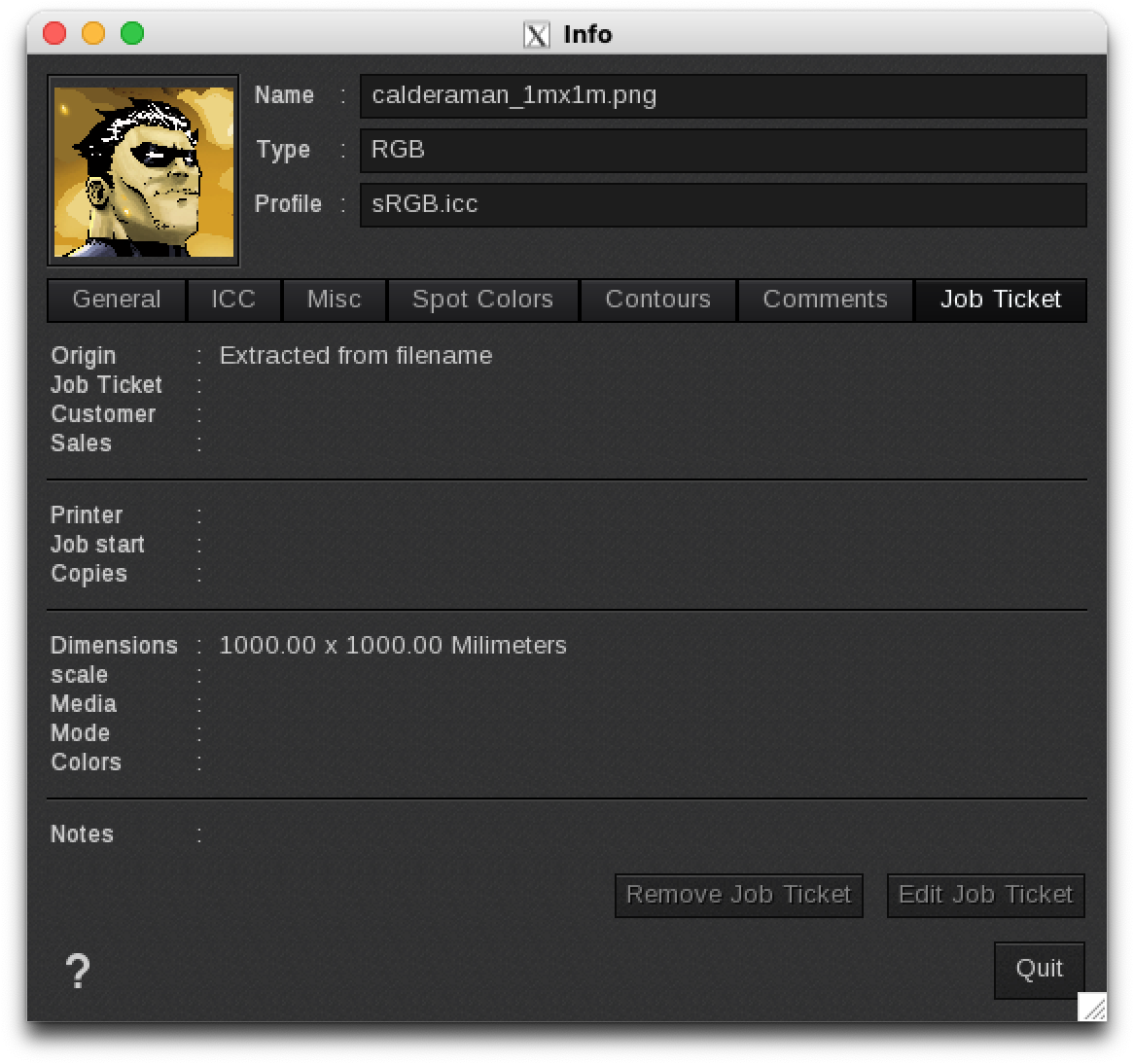
- The unit shown in the job ticket will always be the default unit of your RIP configuration as shown below for MyFileName_1mx1m.pdf and Millimeters as the default unit.