As part of ISO 15930 certification regarding prepress digital data exchange using PDF, you need to conform to PDF/X-4 standard.
For this purpose, you can test your workflows by printing PDFX-ready Output file that you can download on the PDFX-ready website.
Tips & Tricks
"There is a "X" in the JBIG2 compression test."
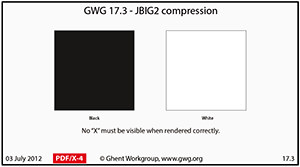 |
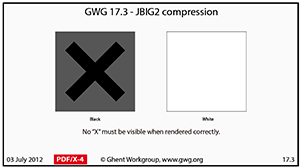 |
| Correct result | Error |
If you notice a "X" on page 3 of the PDFX-ready Output test, regarging GWG 17.3 - JBIG2 compression, you need to change the Color Management Module engine of your CalderaRIP from Caldera to Adobe.
1. In the Special tab, go to APPE Configuration.
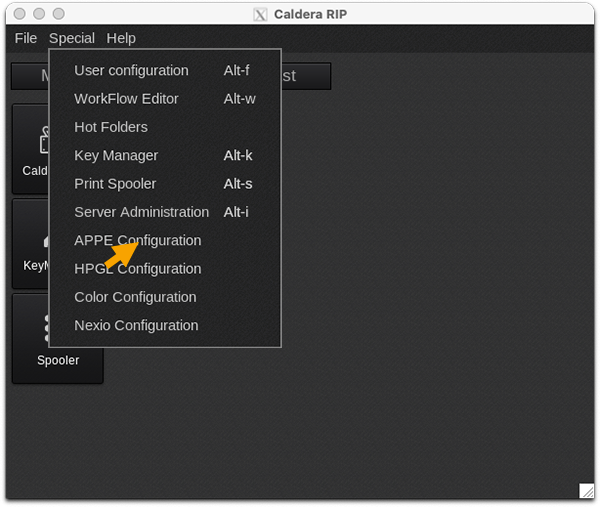
2. In the Color Management Module field, select Adobe instead of Caldera.
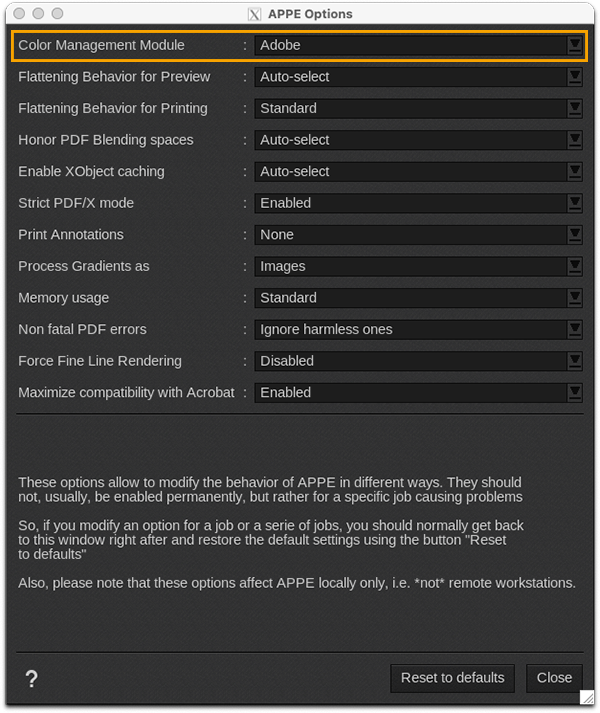
Now, your printing should be correct without "X" in JBIG2 compression test.