Issue:
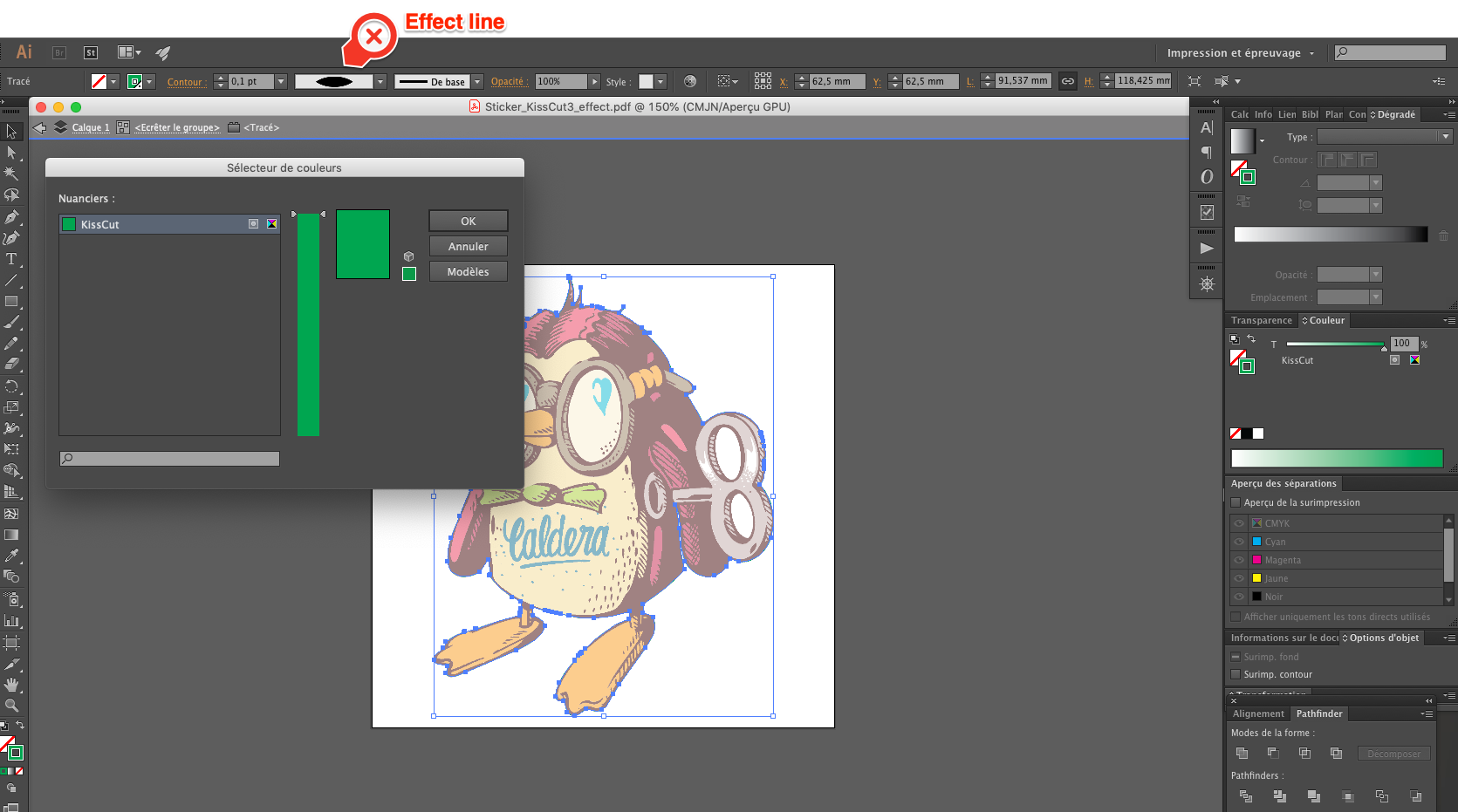
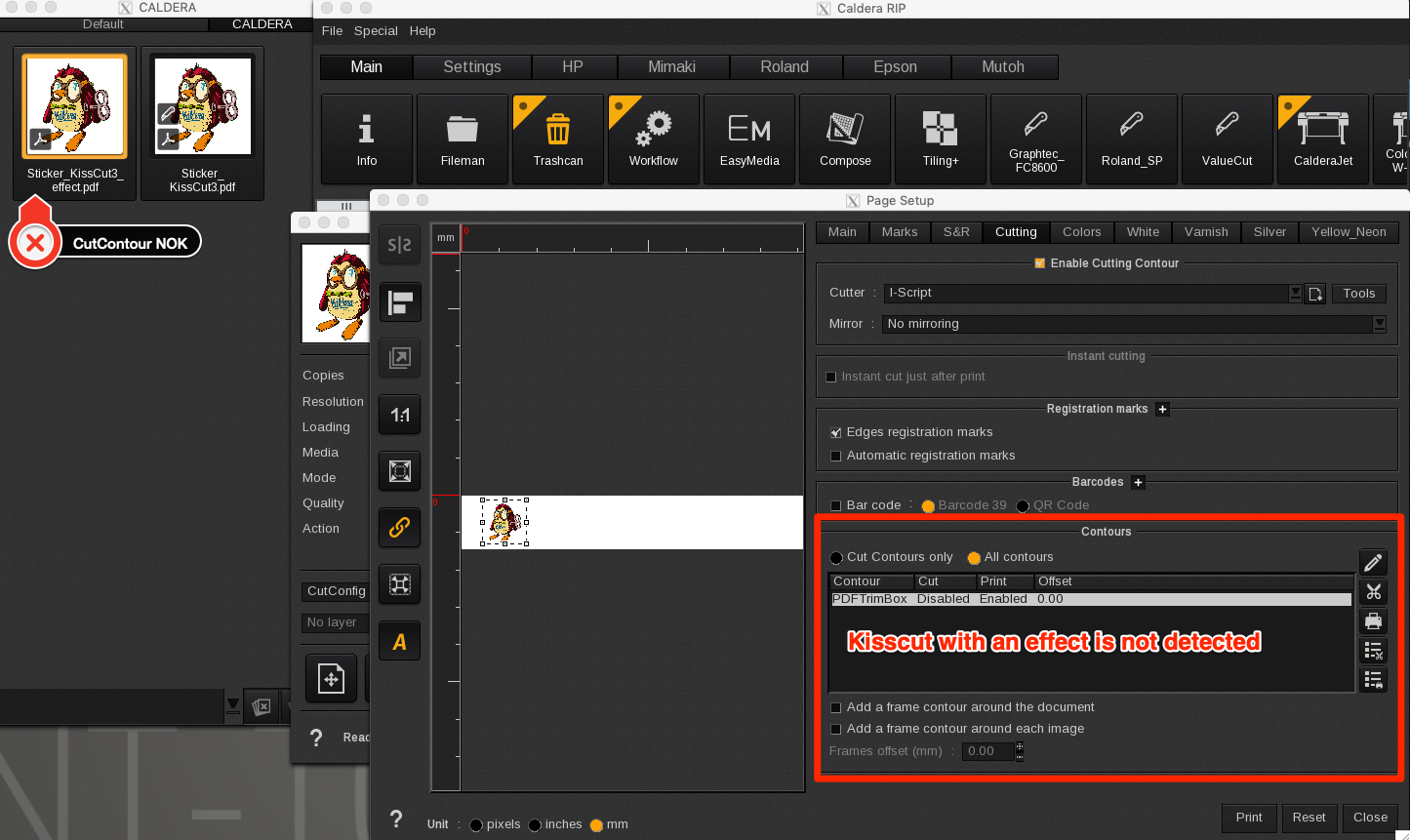
The cut contour with an effect is not detected by Caldera , even if it is a spot color.
Problem:
The issue with the original file is that the object is not a cut contour but a filled path. (see image below).
If the cut file is created with an effect line or thickness instead of a straight line , the cut contour will not detected at all by Caldera.
Solution:
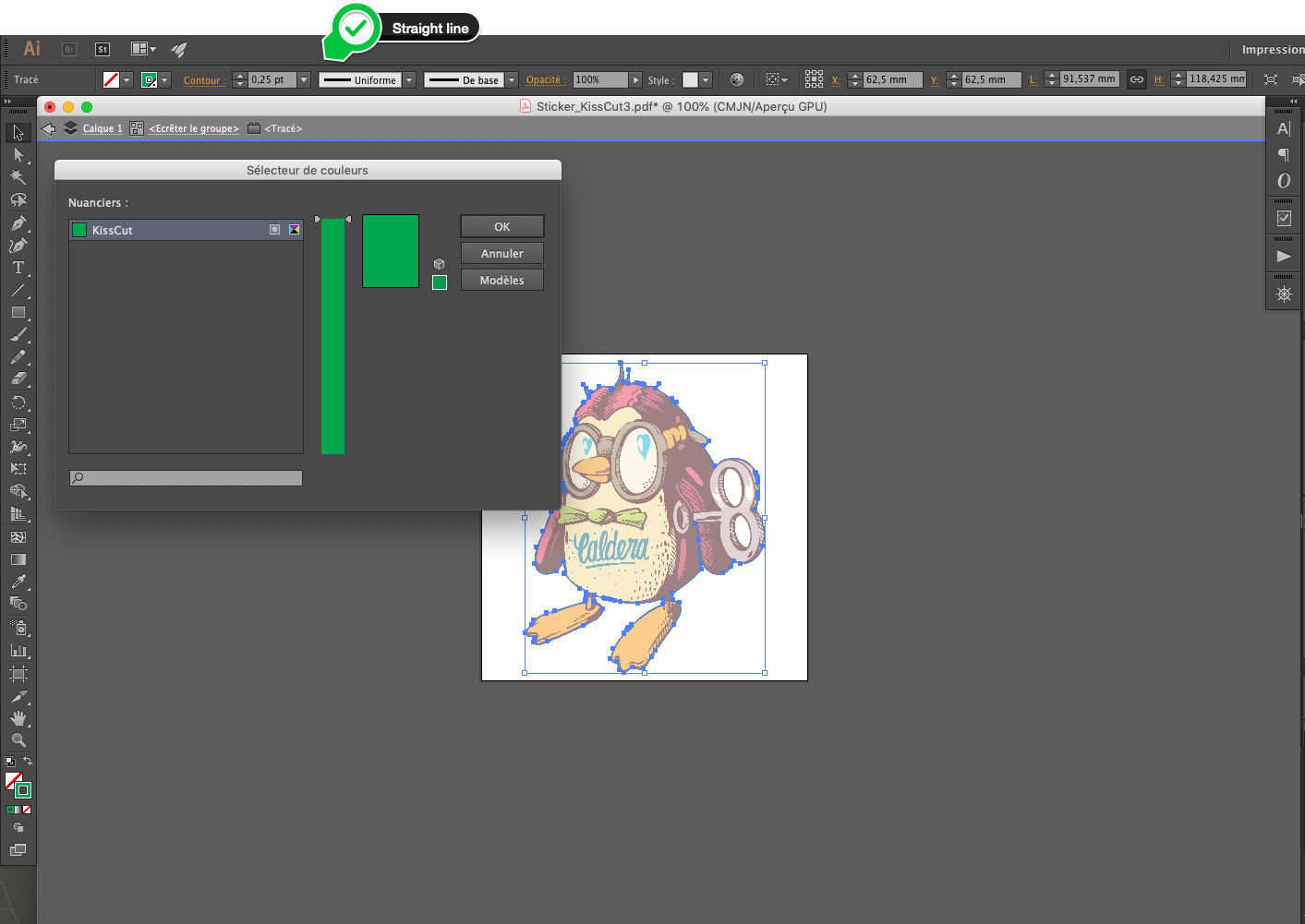
Customers must create cut contours correctly with a straight line as mentioned below
Tutorial RIP software: HowTo Create and use CutContours
And as a reminder, a proper designed cut contour should meet the following conditions:
- CMYK Spot color with a value.
- 0.1-0.25 point line weight (without special effects) to avoid double cuts.
- Name needs to be CutContour otherwise it will not automatically be detected (if other name declare in FileMan > Setup > Edit Cut Contour list).
- Needs to be centered (Illustrator setting). Not set to inside or outside.
- Can not be on a disabled layer (Layer has to be enabled and set to print).
FOR ADVANCED TROUBLESHOOTING:
To troubleshoot contour problems the following terminal commands can be used:
mkdir /opt/caldera/lib/shared/MonzaSetup
echo 3 > /opt/caldera/lib/shared/MonzaSetup/docut
Related article same topic: CutContour Troubleshooting
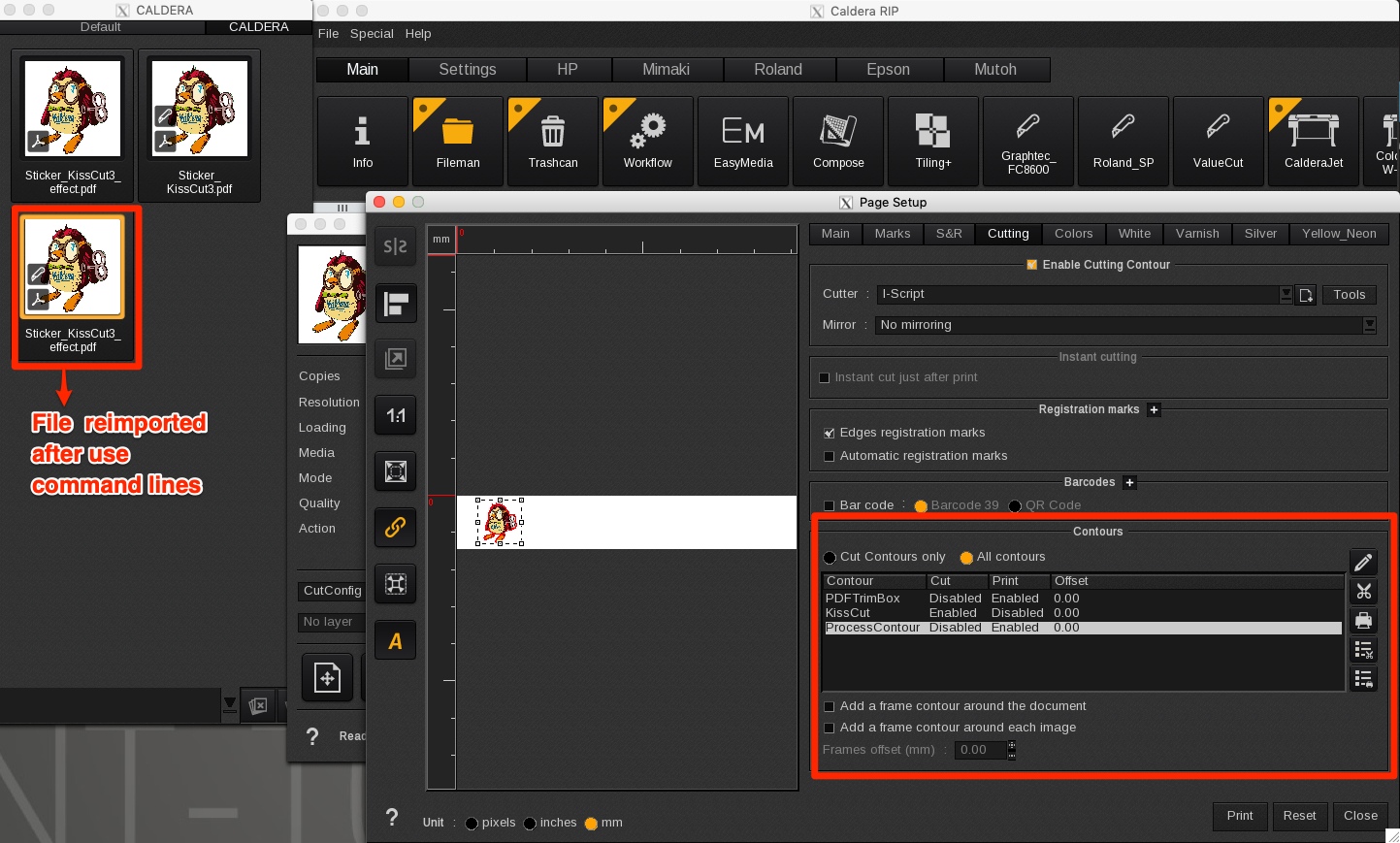
The value 3 activates a special mode in which additional contours will be detected.
You will have also:
- The cut contours draw in color No Spot. They will have the name "ProcessCut".
- The cut contours draw win a thickness , as mentioned before.
Attention,
It is not recommended to use these contours to cut, as it can lead to unpredictable results.
The option can be useful to the support, to diagnose incorrect cut contours.