Default Caldera drivers don't have all the available resolutions, as there are a variety of configurations and resolutions depending on the particular printer. In which the list of modes (resolutions) for the Renoir or EFI/Vutek FabriVu driver must be imported from the printer setup file.
On the printer controller, locate the folder print_parameters (might be on the second HDD under the folder reggiani), create a ZIP archive of the contents of this folder. Copy it to the CalderaRIP.
Settings Tab>Servers Admin>select the printer>Configure button>Pages Tab, click the import print_parameters.zip button. A file browser will open allowing you to select the zipped archive> Then Proceed (password caldera) and the resolutions should appear in the printer driver.
In case of errors (missing files etc.) check the following article:
How to create the print_parameters.zip file
V11 & Newer
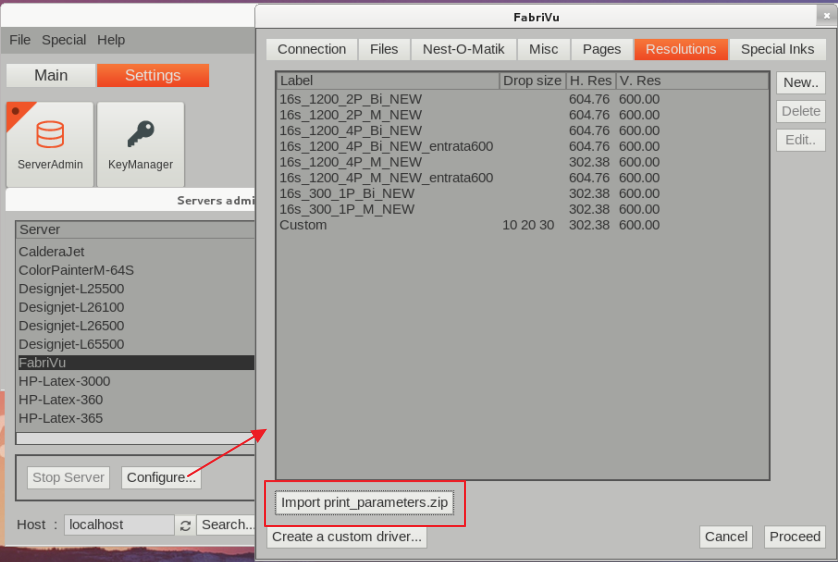
V10
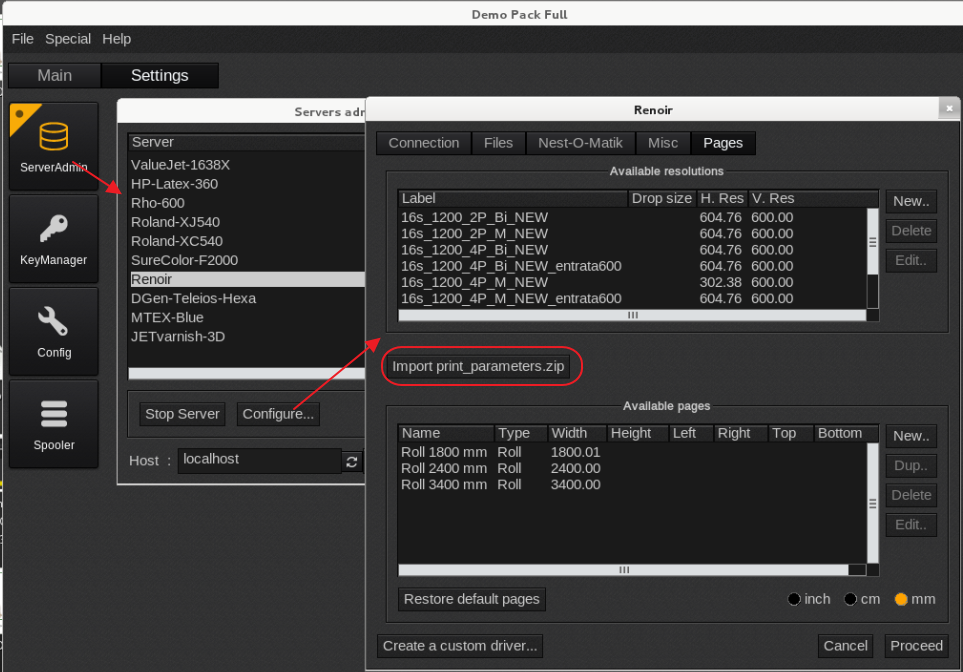
V9
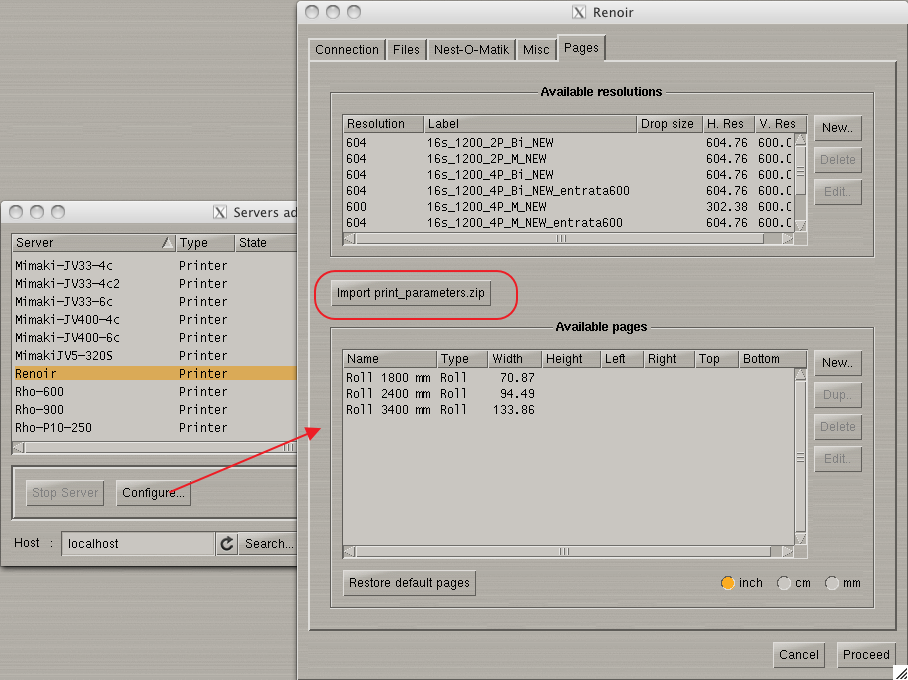
Suggested ICC build options:
Set black start to 40%
Use lower GCR value
In custom spot color mixes avoid black as much as possible.