This type of error could have multiple reasons:
Error could occur on PDF files saved as ai. So avoid ai files (save as PDF instead).
Check if settings like 16bit rendering are active? We have seen some files fail when this option was active.
In that case we would like a copy of the file and settings used.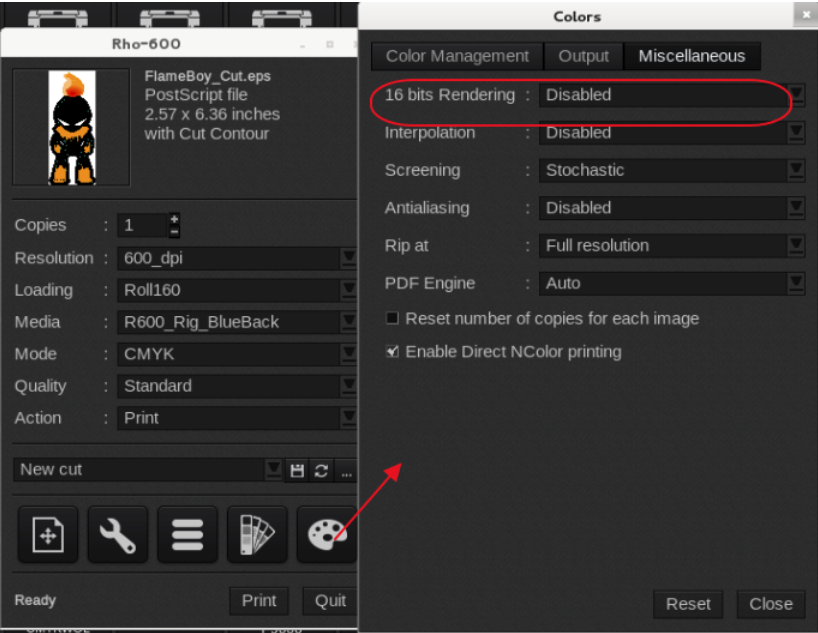
If a file consistently fails, then we like a copy for testing purposes. It would also help to get an export of the printer settings used (had once a customer with the error when the image was rotated 90 degrees).
Printer driver settings for troubleshooting purposes
It could also be related to a corruption in one of the caches our rip uses (Could happen when an Adobe Creative Suite product is installed on the same system).
To fix this reinstall Caldera from the DVD/Disk Image over the top of the existing install. It should maintain all settings but you will have to install any patches and driver updates.