Symptom:
When Caldera takes a long time to start or the printer driver opens with an RPC error.
Problem:
Too many files or a corrupt file in the Spooler folder.
Several Solutions:
1) First try to open the Spooler and manually remove print jobs as this will maintain the history log (important for CostView users).
If this is not an option (it might take multiple attempts to open the driver from the Spooler or CostView is not being used then proceed to 2) or 3)
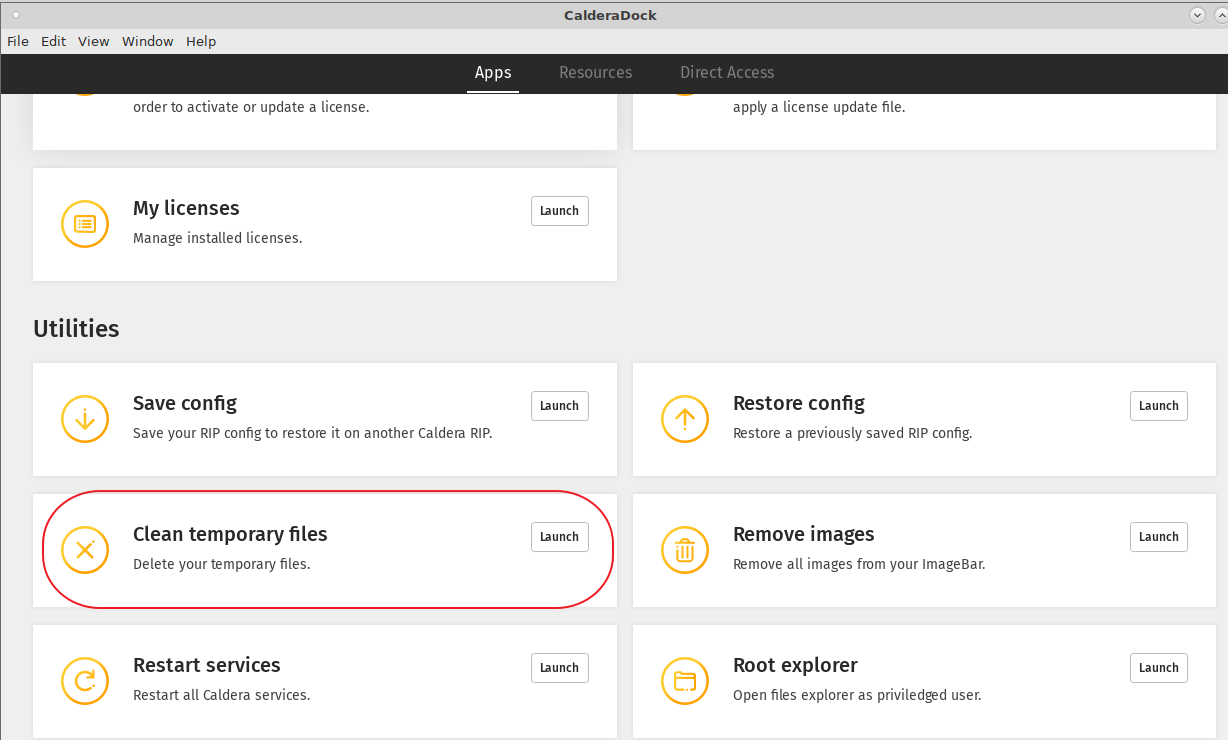
2) Starting with version 12, there's an option in CalderaDock to clean the Spooler (Clean temporary files option). And as added bonus one can specify to delete files older than a certain amount of days.
CalderaDock is available under the Settings Tab of the Caldera RIP or it can be launched as a standalone application from the (Mac OS, applications folder).
3) Stop printer driver from running (if applicable) and delete contents of the temporary Spooler folder through the graphical user interface.
Be aware that removing files from the temporary folder will lead to loss of historical print data. To avoid this issue enable the queue management.
To stop the printer driver (Applies to a Linux or OSX based Caldera installation):
Settings Tab > Server Admin (Or Special pull down menu > Server Admin) > Select the printer if the state is "running" and select the Stop Server button. Acknowledge that the driver needs to be stopped. Password is caldera (lower case).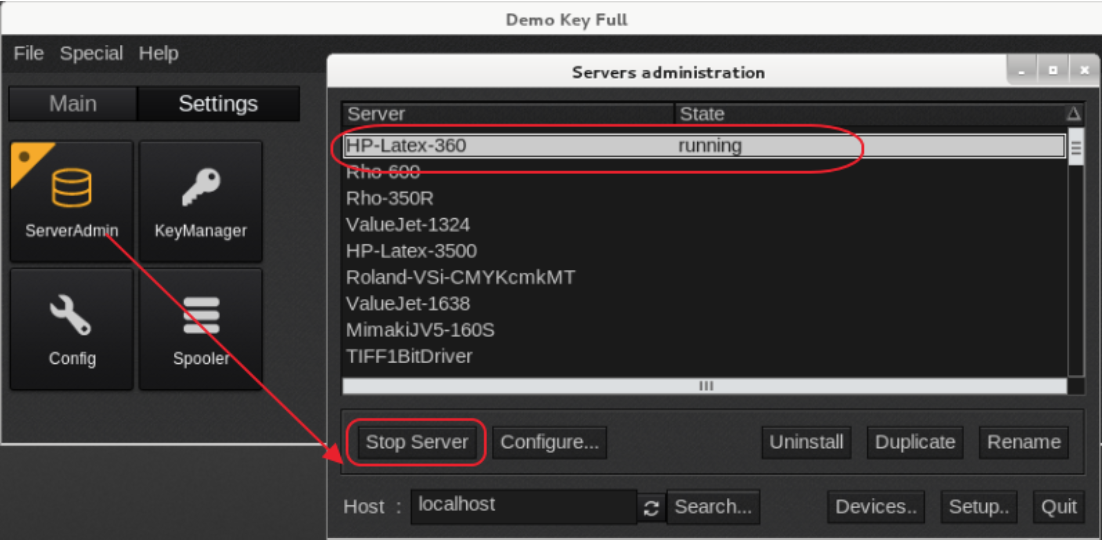
Now go to the operating systems graphical user interface and delete the contents including sub directories of:
Linux based Caldera version 13.0 or older:/home/tmp/ and version 13.1 or newer the temp folder is located at: /opt/caldera/var/tmp/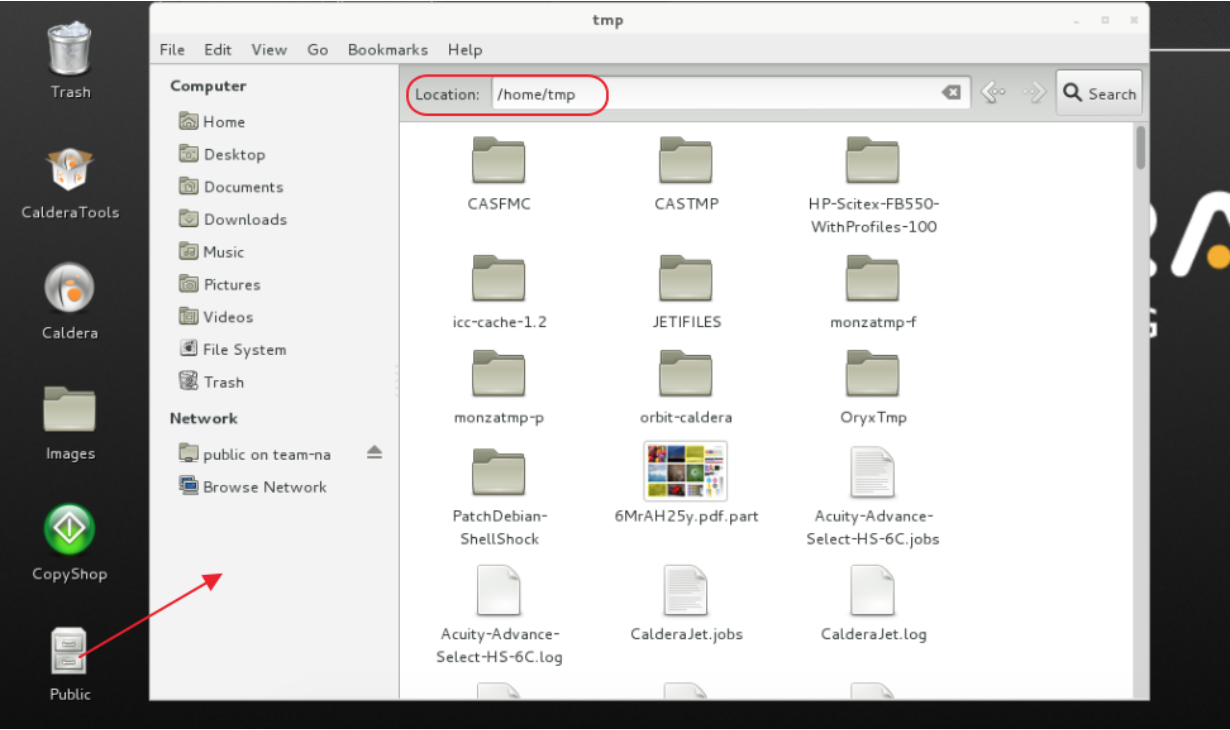
OSX based Caldera install up to version 13.0: /CALDERADATA/TMP/and version 13.1 or newer the temp folder is located at: /opt/caldera/var/tmp/
So in the Finder > Go pull down menu > Go to Folder >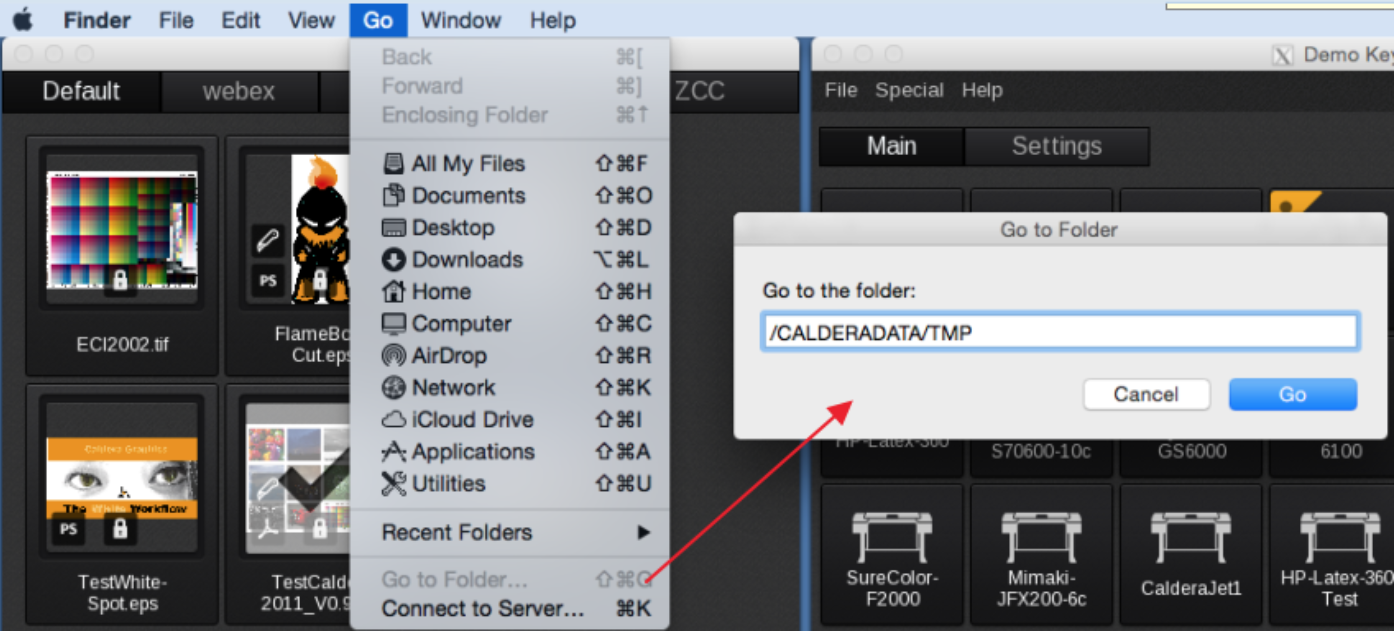
When using the delete option in the graphical user interface then don't forget to empty the Trashcan.
To avoid this issue either delete manually from the Spooler your old print jobs on a regular basis or consider using the queue management option as explained in the following FAQ:
Spooler Management