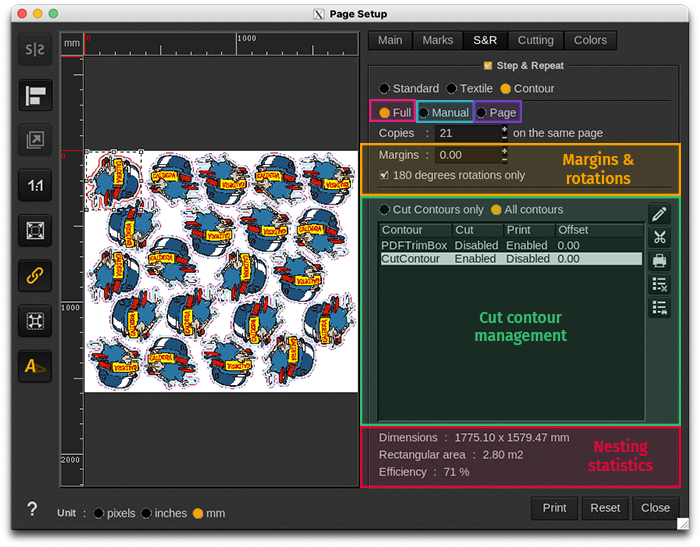
The ContourNesting Step&Repeat feature optimizes copy placement on the media by using the cut contour line in the graphic. When Contour mode is selected, the cutline in the graphic is automatically enabled.
The window can be divided into 6 parts:
- Full mode of copies placement: all copies are nested on the same page.
- Manual mode of copies placement: manually specify the number of copies per page and number of pages to print
- Page mode of copies placement: fills the current page with the maximum number of copies possible
- Margins & rotations: margins between each copy and restrict rotations to 180° only.
- Cut Contour Management: manages the cut contour lines in the graphic.
- Nesting statistics