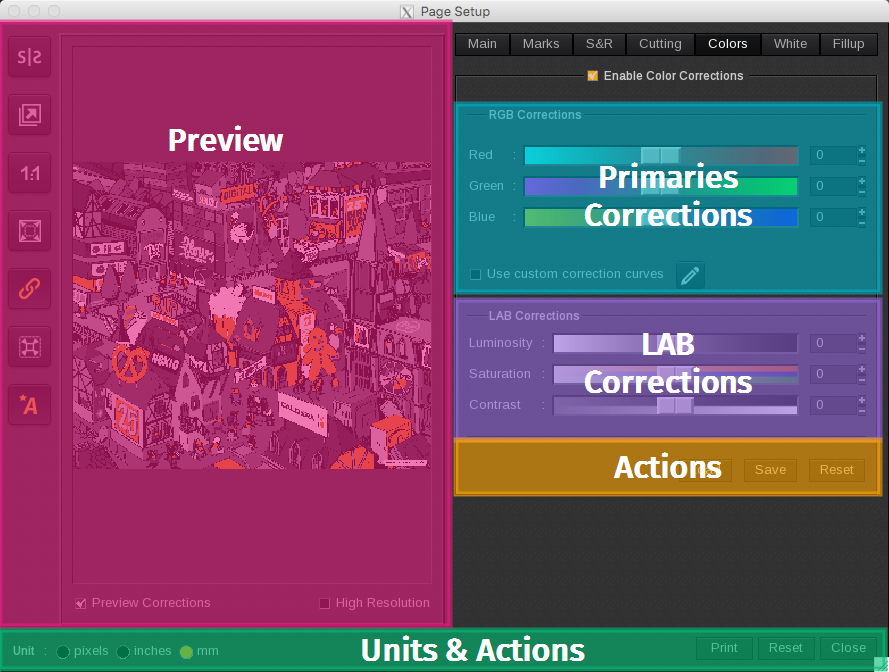
The Colors tab is the last tab listed on the Page Setup window if your printer does not use Spot inks such as Metallic, White, or Varnish. Check the box next to Enable Color Corrections to enable the features on this tab.
- Preview specific to the Colors tab
-
Activate the Preview Corrections and enable the High Resolution for a better view of your color corrections.
-
- Primaries Corrections
- LAB Corrections
- Actions specific to the Colors tab
- Units & Actions
Note: the preview is not a softproof.
Each time you change one of these parameters, the preview will reset. As a result, you may find yourself zooming back into the image to see your changes.