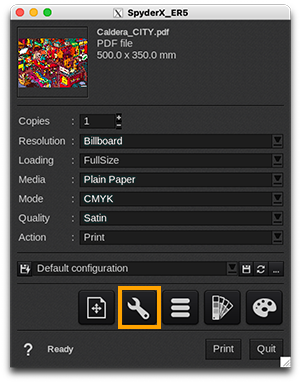
Inca Spyder X and Inca Spyder X ER5* |
 |
| *ER5: Eagle Run 5 (firmware) |
Printer
Inca Spyder X/ER5 |
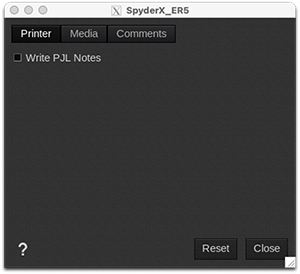 |
- PJL Notes: This setting allows the user to add additional information like media name, ICC profile, source file name, among others, in the job's header (in PJL syntax).
Media
Inca Spyder X |
Inca Spyder X ER5 |
 |
 |
-
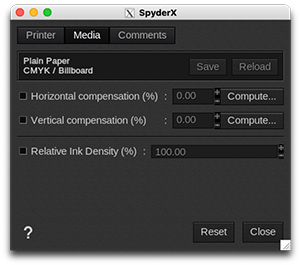
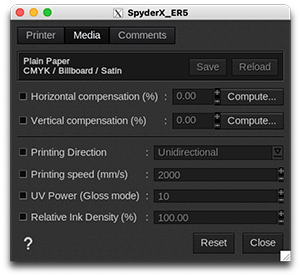
Information: at the top of the window, you are able to see information about your media. There you have access to two actions:
- Save: when you click on this button, the current media settings are saved to the selected media profile (printer, media, resolution, mode) so there will be applied for any new job using the same print configuration. If you don't save, the changes you made are only applied to the current job.
- Reload: will revert back to default as set during profiling or the last saved changes.
- Horizontal compensation (%): we recommend not to modify this. Any deviation is likely to be mechanical on the printer's side.
- Vertical compensation (%): this can be useful if you detect an increase or decrease in the length due to heating or media tension which is common when printing on vinyl or textiles for example. To calculate the compensation, click Compute and follow the software’s instructions.
- Relative Ink Density (%): maximum level of ink allowed. Increasing this factor might increase the Gamut but it might also create over-inking issues. This value indicates the absorption capability of the medium being used, and directly impacts the output and ink usage.
Only on Inca Spyder X ER5
- Print direction: choose if the printing is Bidirectional or Unidirectional.
- Printing speed (mm/s): adjust the speed of printing, up until 2000/s. Note: A faster movement may lead to more droplet spreading.
- UV power (Gloss mode): select the UV LED strength of the UV panel. You can choose a value between 1 and 15.
Comments
Inca Spyder X/ER5 |
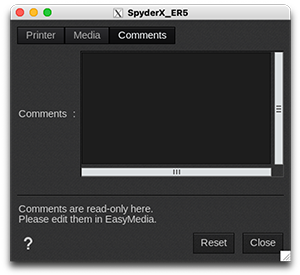 |
On this tab you can see comments coming from the EasyMedia module. It can include comments from the global media window and from the profile project window.