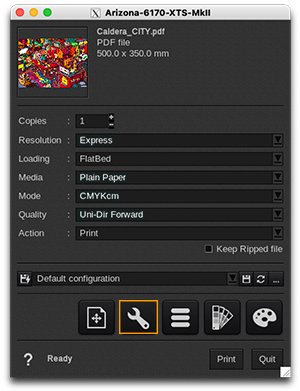
Printer tab
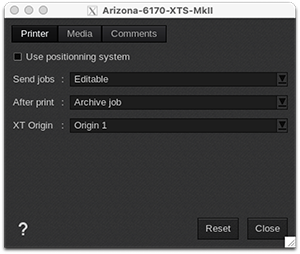
- Use positioning system: enable this option to be able to position jobs on the sheets from CalderaRIP. By default this option is disabled to let you position jobs on the sheets from the controller.
-
Send jobs: you have the choice between:
- Editable: by default, all jobs are editable on the controller.
- Non-editable: jobs are not editable on the controller to avoid last-minute modifications.
-
After print: this setting allows you to decide how to automatically manage jobs in the controller queue once the print is achieved. The options are:
- Archive job
- Leave job in queue
- Delete job
|
 |
Media tab
-
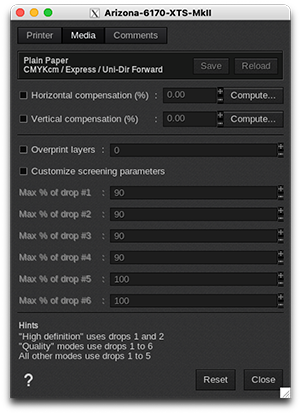
Information: at the top of the window, you are able to see information about your media. There you have access to two actions:
- Save: when you click on this button, the current media settings are saved to the selected media profile (printer, media, resolution, mode) so there will be applied for any new job using the same print configuration. If you don't save, the changes you made are only applied to the current job.
- Reload: will revert back to default as set during profiling or the last saved changes.
- Horizontal compensation (%): we recommend not to modify this. Any deviation is likely to be mechanical on the printer's side.
- Vertical compensation (%): this can be useful if you detect an increase or decrease in the length due to heating or media tension which is common when printing on vinyl or textiles for example. To calculate the compensation, click Compute and follow the software’s instructions.
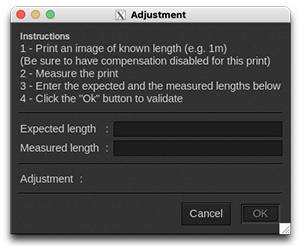
- Overprint: this performs additional passes to increase ink density. The user can define the number of overprint layers.
-
Customize screening parameters: enable this feature if you want to limit the maximum percentage and/or mixture of the 6 sizes of dots. By default, this function is disabled, which means that CalderaRIP is already using the best variable droplet mixture for printing. If you feel comfortable and you need to build a new media profile, you can turn this feature on to choose a different droplet mixture and change the printed colors:
- Max % of drop #1: from 0 to 100% (Default=90%)
- Max % of drop #2: from 0 to 100% (Default=90%)
- Max % of drop #3: from 0 to 100% (Default=90%)
- Max % of drop #4: from 0 to 100% (Default=90%)
- Max % of drop #5: from 0 to 100% (Default=100%)
- Max % of drop #6: from 0 to 100% (Default=100%)
Comments tab
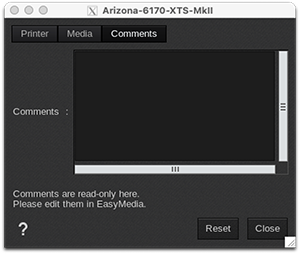
On this tab you can see comments coming from the EasyMedia module. It can include comments from the global media window and from the profile project window.