Info module gives information about drag&dropped images:
- Global Information
- General
- ICC
- Misc
- the list of Spot Colors contained in the image
- the list of cut Contours contained in the image.
- Comments
-
with SmartImport or Nexio, you can see meta-data in the Job Ticket tab.
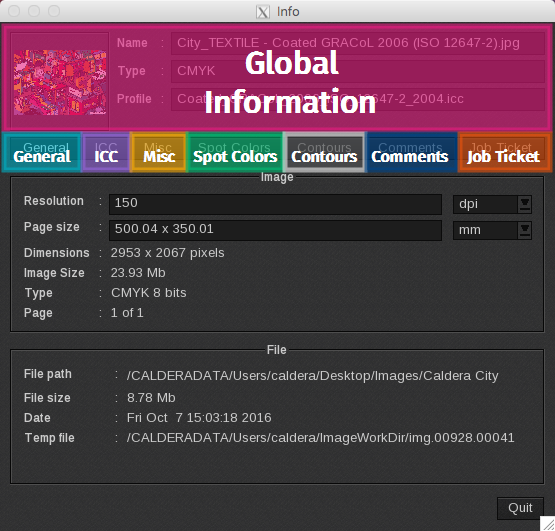
Global Information
When you view an image in the Info module, you will see the following information in the upper part of the window:
-
- A thumbnail of the image.
-
- Name: name of the image.
-
- Type: image type.
-
- Profile: profile applied to the image.
ICC
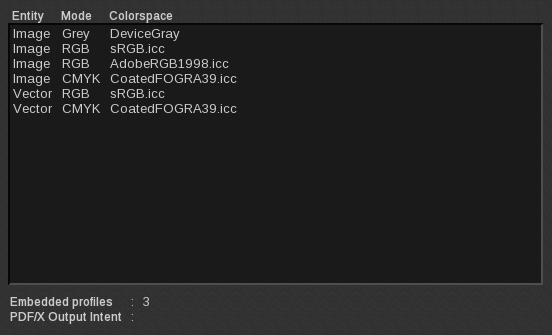
The ICC tab displays the list of color profiles that were applied to the image when it was uploaded to Fileman.
-
- Entity: type of the entity. (e.g. image or vector)
-
- Mode: color mode.
-
- Colorspace: ICC profile applied.
-
- Embedded profiles: number of embedded profiles within the file.
-
- PDF/X Output Intent: number of output intent profiles for PDF/X.
Comments
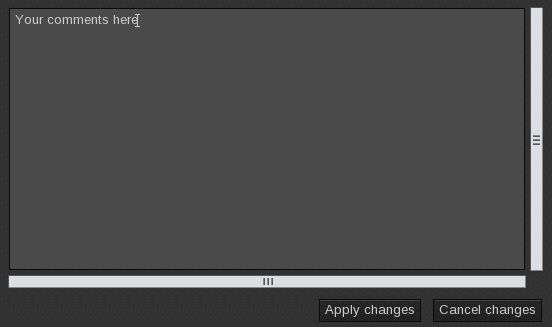
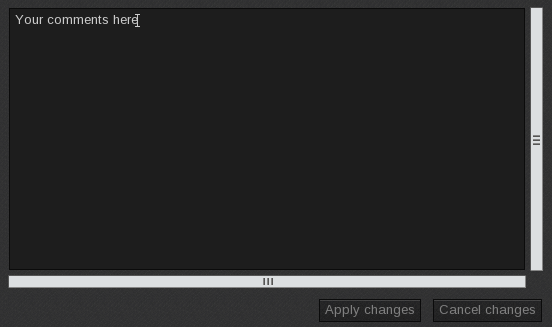
The ICC tab displays the Comments field which allows you to edit the comment associated with an image. After the comment is modified, the following buttons become selectable and you can see that the editing area color has changed.
-
- Apply changes: applies and saves comments.
-
- Cancel changes: cancels your changes. Previously written and saved comments will still appear.
Note: some files do not support comments. When unsupported, you are unable to enter text into the Comments field.