The FileMan or FileManager module is a tool for importing and exporting image files to or from the ImageBar. It supports various image formats, including TIFF, JPEG, and GIF, enabling users to import and convert files as needed.
To launch FileMan, double-click its icon or drag and drop an image on it:
The module is divided into four parts:
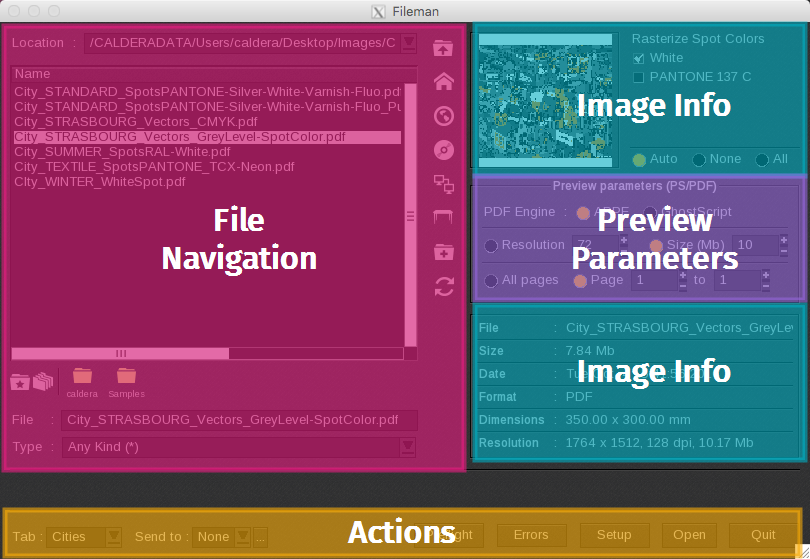 |
To learn more, please refer to the dedicated articles or watch the video below to get an overview of the module:
How does it work?
One of FileManager's primary functions is to rasterize your PostScript, PDF, or HPGL files. To do this, follow the same steps as you would for loading a raster image: simply select the file and double-click on it (or click the Open button located below).
You can filter the files to be rasterized by their extension and select them by clicking on their names. Additionally, you can manually enter the names of folders and files in the designated fields (Directory and File).
The files selected and rasterized in FileManager will be treated as "flattened" files. Their thumbnails will appear in the ImageBar, just like any other image loaded through this module.
Tips & tricks
There are several ways to automate file uploading and processing in CalderaRIP. To learn more, see the section on software automation and, specifically, on combining different modules.