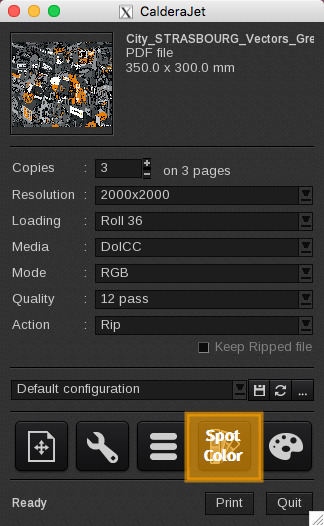
The Spot Colors window allows you to manage the spot colors that appear in your file.
In Caldera RIP software, spot colors are automatically recognized when the image is uploaded using the Fileman module.
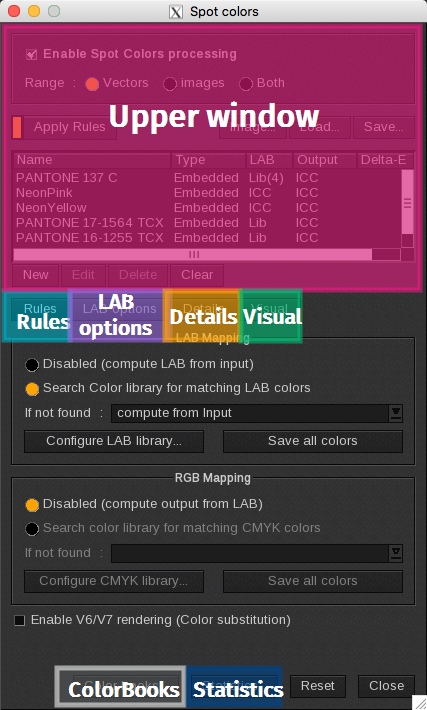
The Spot Colors window is divided into several sections:
- Upper window: enables the spot colors window, lists global functions and lists the spot colors recognized in your file.
- Rules tab: defines the rules that are applied to the spot colors.
- LAB options tab: defines the rules applied to the LAB values of the spot colors.
- Details tab: allows you to set the parameters for each spot color.
- Visual tab: displays the image and allows you to make some modifications of the spot colors.
- ColorBooks button: opens the ColorBook generator window.
- Statistics button: opens the Statistics window.
Open the Spot Colors window
Click on the fourth icon button of the Print module main window.