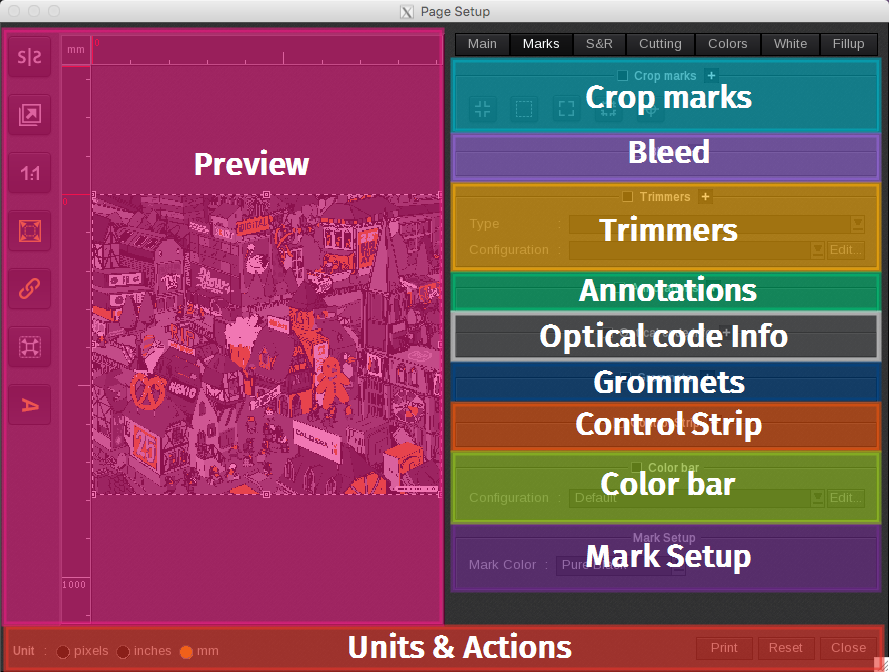
The Marks tab is the second tab listed on the Page Setup window. The Marks tab is divided into eleven areas:
- Preview (including image orientation, mirror effect…)
- Crop Marks
- Bleed
- Trimmers
- Annotations
- Optical Code Info
- Grommets
- Control Strip
- Color bar
- Mark Setup
- Units & Actions
Note: Click on (+) to expand a section and display all its available settings.